VapeShopSG
DD Touch
DD Touch
Couldn't load pickup availability
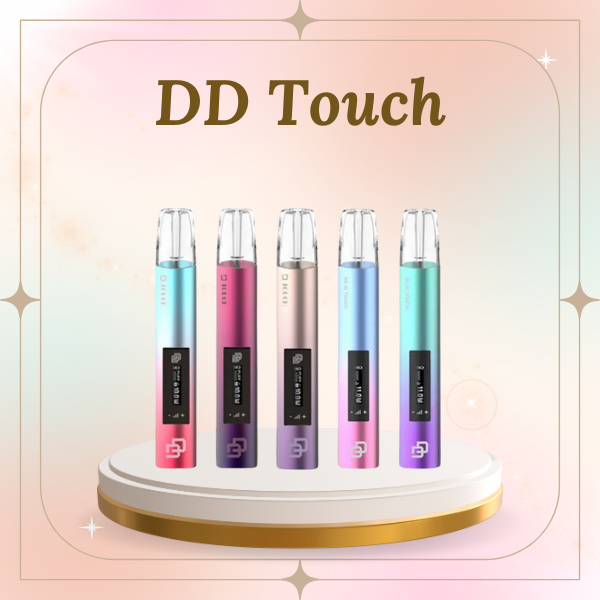
DD Touch: The Pinnacle of Smart Vaping Technology
The DD Touch represents a significant leap in electronic device design, blending aesthetic elegance with cutting-edge functionality. Designed for enthusiasts who demand precision, this device moves away from traditional buttons to a highly responsive touch-sensitive interface, ensuring a sleek, uninterrupted silhouette.
Key Specifications
-
Battery Capacity: 450mAh high-density cobalt battery for all-day reliability.
-
Charging: USB-C ultra-fast charging (0 to 80% in 20 minutes).
-
Indicator: Dual-color LED feedback system (Real-time battery & power monitoring).
-
Build Material: Aerospace-grade aluminum alloy with an anti-fingerprint coating.
-
Compatibility: Fully compatible with DD Zero and other mainstream universal pods.
Revolutionary Touch Control
Say goodbye to mechanical wear and tear. The DD Touch features a Contact Exit Release Button equivalent technology, allowing you to lock or unlock the device with a simple tap. This smart sensor prevents accidental firing in your pocket while providing instant response when you’re ready.
Performance & Airflow
Engineered with an internal honeycomb ceramic coil system (when paired with compatible pods), the DD Touch delivers consistent flavor from the first puff to the last. The precision-engineered airflow intake provides a balanced draw that mimics the sensation of traditional methods without the harshness.
FAQ
-
Q1: How do I know when my DD Touch needs charging? The device features a dual LED color indication system. A specific color pulse (usually red) will alert you when the battery drops below 20%, while the steady light indicates a full charge during the USB-C session.
-
Q2: Is the DD Touch compatible with other pod brands? Yes, the DD Touch is designed with a universal fit architecture, making it highly compatible with DD Zero pods and most standard-sized closed system pods available in the market.
-
Q3: How do I activate the touch-lock feature? Simply tap the sensitive touch zone three times in quick succession. The LED will flash to confirm the device is locked, ensuring maximum safety during travel or storage.
-
Q4: What should I do if the device doesn't vibrate or light up when I insert a pod? Ensure the gold-plated contact pins are clean. Use a cotton swab with a drop of rubbing alcohol to gently wipe the interior connectors of the DD Touch to maintain a perfect electrical connection.
Share